Getting started
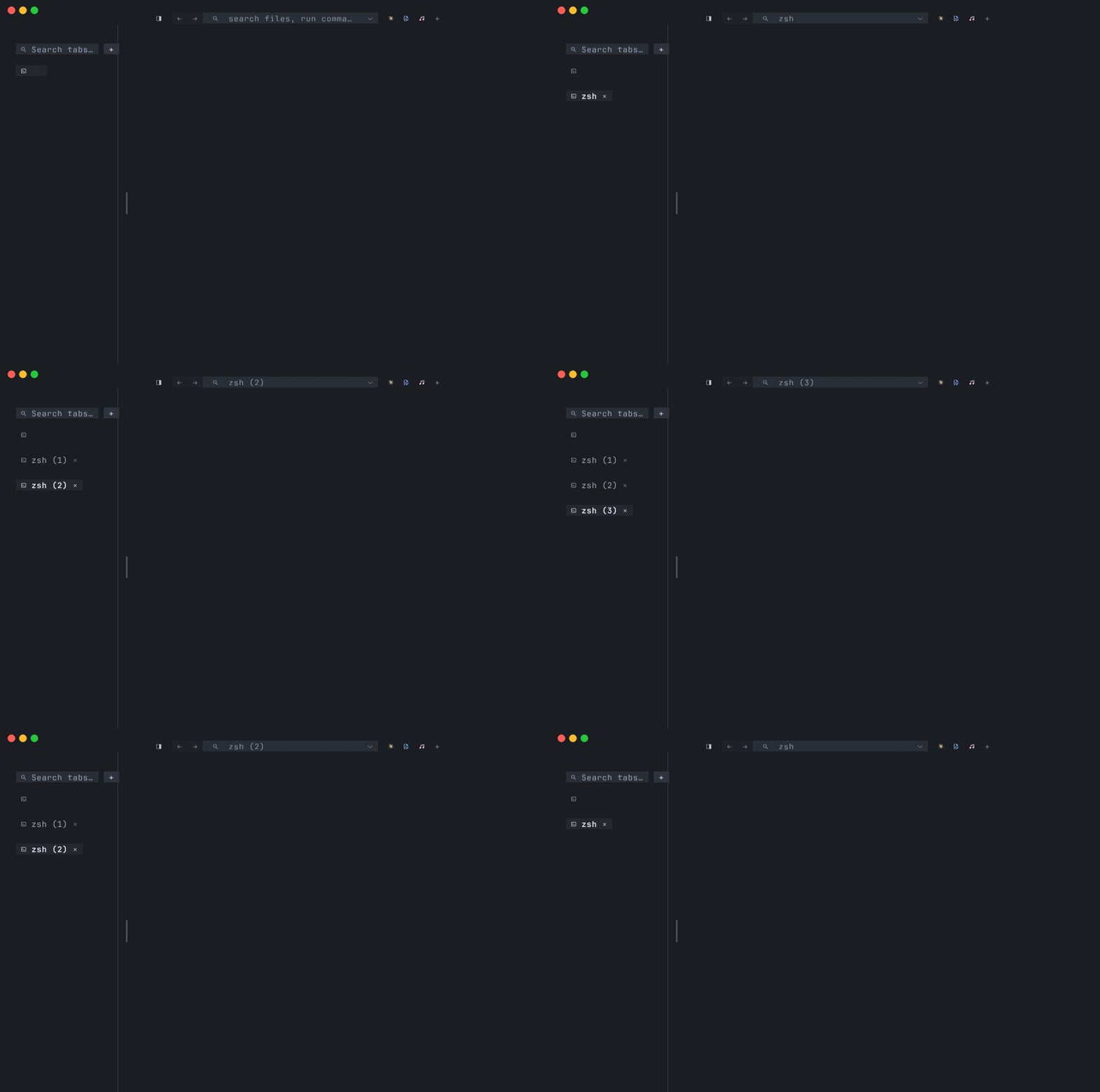
This page walks you from a fresh install to the point where the design of tmnl makes sense — what shell mode does well, what native mode is for, and whether tmnl is a good fit for the way you actually use a terminal.
Audience
Section titled “Audience”tmnl is a GPU-rendered terminal. The renderer is wgpu — Metal on macOS, DirectX 12 on Windows, Vulkan on Linux. That’s interesting if any of the following are true:
- You care about rendering — smooth at high refresh rates, true-color per cell, low CPU.
- You want a TUI to render as cells, not as a stream of ANSI escape codes the terminal has to parse back into cells.
- You’re already a Warp / WezTerm / Alacritty user shopping for something with a different design center.
If you live in a pure pipe-and-grep workflow and don’t care what’s drawing the glyphs, tmnl will work — it hosts your $SHELL like any terminal — but you may not see the point. The interesting parts are the AI-on-the-prompt features and the native-mode protocol; both lean into “the terminal is a GPU surface, let’s use it.”
Install
Section titled “Install”See Install for cargo-dist binaries on all three platforms, the build-from-source steps, and the dependency lists. The crate on crates.io is tmnl-rs (the binary it installs is tmnl).
First launch — shell mode
Section titled “First launch — shell mode”A bare launch — tmnl from anywhere on your PATH, or the dock icon on macOS — opens a single window with one tab hosting your $SHELL (zsh / bash / fish on Unix; PowerShell on Windows). This is “shell mode”: a real pty hosting your real shell, with output parsed by vt100 into cells written into tmnl’s Grid. The wgpu cell pipeline draws the Grid. That’s the whole story for the everyday case.
If you’ve launched tmnl before and opened native-mode apps from it (mnml, mixr, …), a welcome overlay appears centered over the shell pane listing recent native-tab launches. 1–9 re-opens an entry, ↑/↓ (or k/j) moves the selection, Enter opens the focused entry, r drops it from the list, Esc or n dismisses. The shell pane is already underneath — dismissing drops you straight into it.
The recents file is ~/.config/tmnl/recents.toml, capped at 20, de-duped by (command, args, workspace), most-recent first. Every native-tab launch appends to it.
Tab chords are macOS-Terminal / iTerm / Safari conventions. They’re intercepted at the tmnl level — Cmd doesn’t reach the hosted process.
| Action | Chord |
| --- | --- |
| New tab | Cmd+T |
| Close tab | Cmd+W |
| Jump to tab N | Cmd+1 … Cmd+9 |
| Cycle prev / next | Cmd+Shift+[ / Cmd+Shift+] |
Cmd+T spawns the same kind of tab the window launched with — a fresh shell tab in shell mode, a fresh native-mode tab if you launched with --mnml (or the equivalent native-mode flag).
You can also click the + chip at the right end of the tab strip to spawn a new shell tab. Middle-click any tab chip to close it.
Drag-reorder
Section titled “Drag-reorder”Click-and-drag a tab chip along the strip to reorder. The active tab follows the drag if you’re dragging it; otherwise the inactive tab moves to where you drop it and the active tab stays active. There’s no animation — the strip just commits the swap on drop.
Splits inside a tab
Section titled “Splits inside a tab”Cmd+D splits the focused pane to the right (a fresh shell pane). Cmd+Shift+D splits down. Cmd+Shift+W closes the focused pane — its split collapses so the sibling takes the freed space; closing the last pane closes the tab. Pane focus moves via Cmd+Option+Arrow (also in the Window menu).
What Cmd+W and Cmd+1..9 do inside a native-mode tab
Section titled “What Cmd+W and Cmd+1..9 do inside a native-mode tab”Inside a native tab — e.g. mnml — Cmd+W doesn’t kill the whole tab. It’s forwarded to the hosted process as Ctrl+W, so mnml closes its focused buffer/pane instead. (mnml shows a confirmation when closing the last buffer, so an accidental Cmd+W doesn’t drop you back to the welcome screen.) Same idea for Cmd+1..9 — forwarded as Alt+1..9 so mnml’s own tab-switch chord fires.
Cmd+Shift+[ / Cmd+Shift+] always switch tmnl tabs (regardless of native vs shell), so you have an unambiguous way to leave a native tab.
Native tabs — the differentiator
Section titled “Native tabs — the differentiator”Native mode is the part of tmnl that doesn’t have an analog in WezTerm / Alacritty / Ghostty / Warp.
In shell mode, an app inside the terminal writes ANSI escape codes to stdout. The terminal parses them back into cells. Both sides own a “cell grid” mental model, but they communicate by serializing it to bytes and re-parsing.
In native mode, an app skips the byte stream. It connects to tmnl over a Unix socket and sends typed Frame { cells: [Cell { fg, bg, ch, ... }] } messages directly via the tmnl-protocol wire format. Updates can be partial — DiffRun puts only changed cell-runs on the wire. The app can set the tab title via Message::Title. Input flows the other way: tmnl sends InputEvents back to the app.
This matters for two reasons:
- No ANSI parsing on either side. An app rendering its UI doesn’t think in escape codes, and tmnl’s
Gridis populated directly. Bugs in the seam stop existing. - The rendering target is the same
Gridand the samewgpupipeline. A native-mode app renders on the GPU, with true-color RGBA per cell, the same as the shell mode you’re already running.
How mnml and mixr use it
Section titled “How mnml and mixr use it”mnml (the terminal IDE) and mixr (the terminal DJ app) both ship a --blit <socket> mode. tmnl knows how to launch them:
- mnml from a clean tmnl launch:
tmnl --mnml [WORKSPACE]. tmnl binds a Unix socket, spawnsmnml --blit <socket>, and the resulting tab is a native tab with mnml drawing directly into its cell grid. - mixr inside a running tmnl + mnml: type
mixr.show(or click the♪chip in mnml’s statusline) and mnml asks tmnl to open mixr as a sibling native tab — not a nested pty inside mnml. - A shell pty inside mnml, popped out:
:tmnl.pop-ptyfrom inside mnml hands the running pty’s master fd to tmnl via SCM_RIGHTS. The pty keeps running. It lands in tmnl as a new adopted-shell tab. (Unix only — Windows doesn’t have SCM_RIGHTS, thoughuds_windowscovers the regular protocol socket.)
Recently-opened native tabs get added to ~/.config/tmnl/recents.toml, so the welcome screen re-opens them with one keypress next session.
Writing your own native-mode app
Section titled “Writing your own native-mode app”The tmnl-protocol crate is the wire format. The two roles are:
- Server — tmnl binds the Unix socket. Sends
Hello,Resize,Inputto the app. ReceivesFrame,Titleback. - Client — your app connects to the socket. Sends
Hello,Frame,Title. ReceivesResize,Input.
The minimal client template is examples/hello_client.rs. You can also smoke-test both sides without a GPU window:
cargo run --example fake_server -- /tmp/t.sock # tmnl stubcargo run --example fake_client -- /tmp/t.sock # backing-app stubSee docs/sdk-guide.md for the handshake, message reference, and frame/diff semantics.
Settings
Section titled “Settings”Cmd+, opens the in-grid settings modal (also tmnl → Settings… in the macOS menu bar). The UI follows the “family settings UI convention” shared with mnml + mixr — ▸ is the focus marker, * appears on rows that differ from defaults.
| Key | Action |
| --- | --- |
| ← / → | Adjust the focused row’s value |
| ↑ / ↓ | Move between rows |
| r / ⌫ | Reset the focused row to default |
| R | Reset all rows to defaults |
| Enter | Save and close |
| Esc | Cancel — reverts to the opened-state snapshot |
Persisted to ~/.config/tmnl/config.toml.
The shipped settings surface is intentionally small today — inset (the pixel padding around the shell prompt, default 20px, the “Apple Terminal-style breathing room”), inset_native (the pixel padding around full-screen TUIs and native-mode apps, default 0 because the hosted app decides what to do with full-screen space), Hide tab bar (mirrors View > Hide / Show Tab Bar — persists via force_hide_tab_bar), plus the Phase 6 multi-window scoping rows (Apply to, Window theme, Include bundled themes). Font size adjusts via the View menu and the Cmd+= / Cmd+- / Cmd+0 chords. A proper theme and font configuration surface is roadmapped.
The full native macOS menu bar is documented separately — see Menu bar reference for every item, accelerator, and what it maps to.
Shell integration (OSC 133)
Section titled “Shell integration (OSC 133)”tmnl reads OSC 133 semantic-prompt marks out of the pty stream to track the command lifecycle — when a prompt is drawn, where the prompt ends, when a command is submitted, when it finishes. With marks present, tmnl knows the difference between “shell idle at a prompt” and “command currently running.”
To install — source the shipped snippet at the end of your ~/.zshrc, after any prompt framework:
source /path/to/tmnl/shell-integration/tmnl.zshThe snippet is safe to source unconditionally — outside tmnl, terminals ignore unknown OSC codes. See docs/shell-integration.md for the full setup (bash and fish snippets are not yet shipped).
With marks installed, two offline AI features light up on the shell prompt:
Cmd+I— continuation. Completes the half-typed command. Result renders as dim ghost text at the cursor;Tabaccepts.Cmd+K— natural-language → command. Treats the prompt content as a description, generates a shell command, and previews it as dim ghost text on the row below;Tabaccepts.
Both run a quantized qwen2.5-coder model in-process via the embedded fim-engine crate. Nothing leaves the machine. First invocation downloads the model (~1 GB, cached) and takes a moment to load; subsequent invocations are ~0.3–1.6 s on CPU.
Without OSC 133 marks installed, the AI features are silent no-ops — they need the B mark to know where the command line begins.
The family bundle
Section titled “The family bundle”tmnl is one of three terminal-native Rust tools by the same author. They each work standalone, but they’re designed to compose:
- tmnl — this terminal.
- mnml — a NvChad-style terminal IDE (vim or standard editing, LSP, git, fuzzy everything, baked-in HTTP client). Runs anywhere; runs as a native tmnl tab when launched under tmnl.
- mixr — a terminal DJ app (Beatport streaming, Claude DJ, MIDI controllers). Same story — anywhere; native tab inside tmnl.
You don’t have to install any of them to use tmnl as a regular terminal. But if you do install mnml or mixr, clicking the dock icon (macOS) or invoking them from a tmnl shell opens them as native tabs in your tmnl session.
State of the project
Section titled “State of the project”v0.1.x — early but daily-driven on macOS. Linux + Windows binaries ship via the same release pipeline; the chrome there is lighter (no native menu bar yet, fewer integrations tested). The feature surface in this manual is what’s actually shipped — for the open roadmap (scrollback search through paged-out history, font-config Settings row, native menu bar on Linux + Windows, JPEG inline-image format) see FEATURES.md.
Where to go next
Section titled “Where to go next”The rest of the manual covers each surface in depth:
- Tabs, splits, and panes — the chord reference, drag-reorder, focus model, the three pane kinds, zoom + maximize.
- OSC 133 shell integration — the snippet, the command-lifecycle marks,
⌘↑/⌘↓prompt navigation. - AI completion (offline) —
⌘I/⌘K, thefim-enginecrate, the first-run model download. - Native tabs — the
tmnl-protocolwire format, the pty-fd handoff, the side-by-side launch model. - SDK — building a backing app — the published
Clienthelper, capability negotiation, the inline-images path. - Multi-window — Window menu cycling, per-window theme, per-window config overrides, N-window persistence.
- Themes — the six bundled themes, the precedence chain, mnml + Ghostty theme files.
- Menu bar reference — every macOS menu entry with its accelerator.
- The SDK guide covers writing a native-mode app at the wire-format level.
FEATURES.mdis the shipped-feature inventory.- The GitHub repo has source, issues, and the public roadmap.