Tab layout — horizontal vs vertical
tmnl has two layouts for the tab strip. The default is horizontal — tab chips flow left to right in the chrome strip below the top palette cluster, wrapping to a second row when they overflow the window width. The alternative is vertical — chips stack down a sidebar on the left edge, the body grid shifts right to make room, and the top strip stays single-row (just the palette).
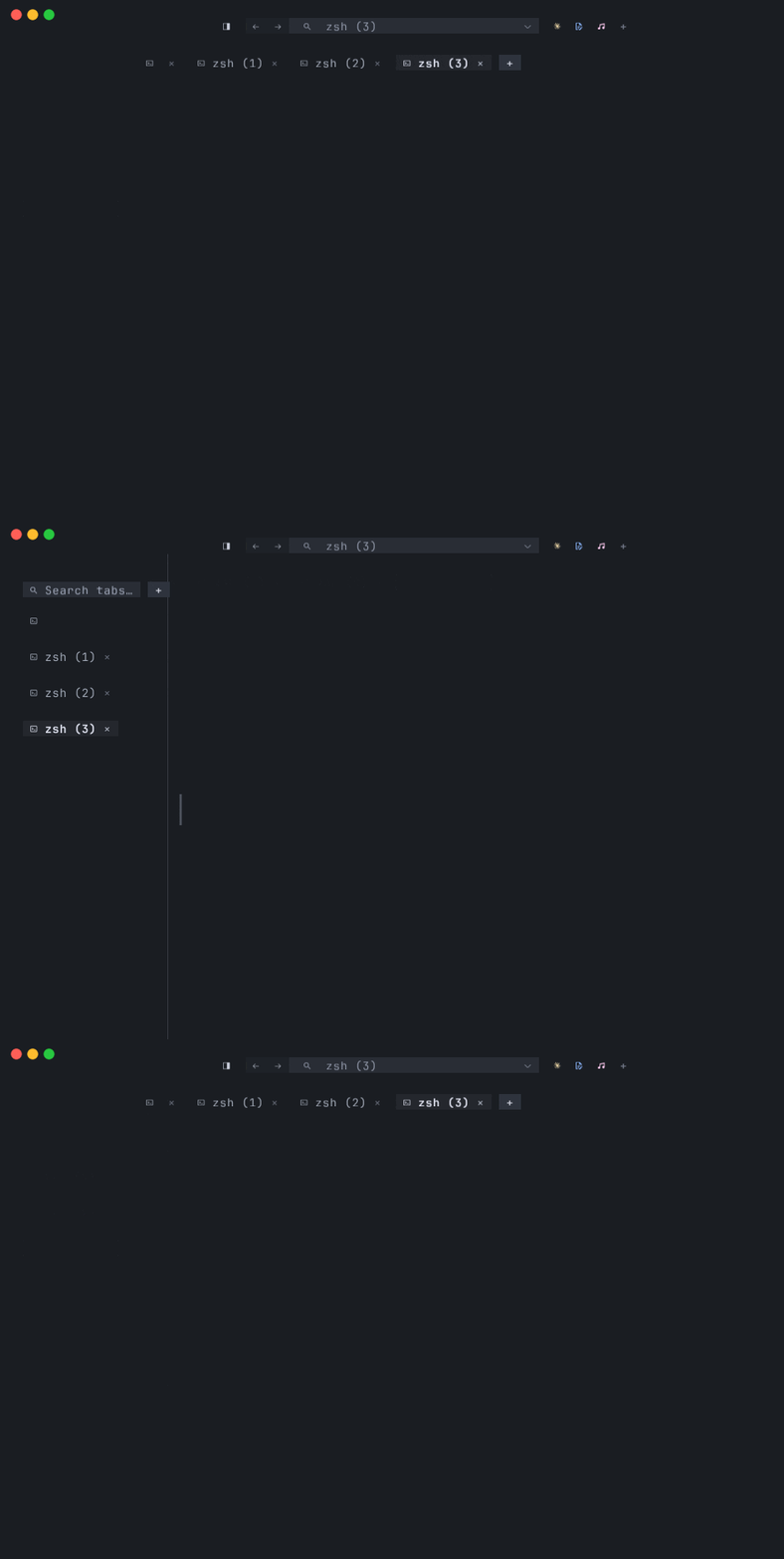
Figure: the headline interaction — toggle the Tab layout row in the
Settings modal and the chrome strip swaps shape live, no restart.
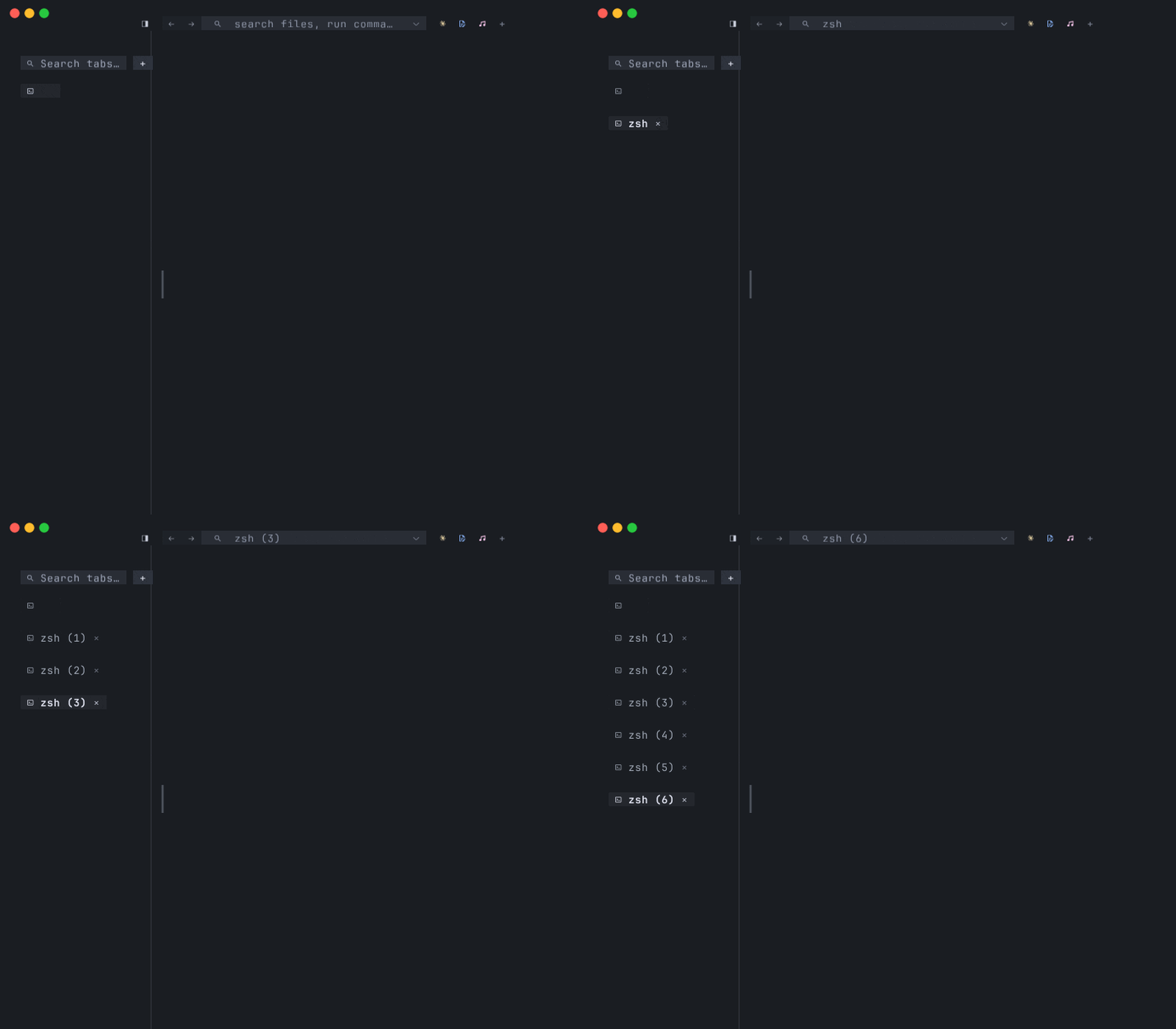
Both are real layouts of the same chip rendering pipeline. The chip itself
doesn’t know which mode it’s in — chip_layout returns
(slots, plus_slot, row_count) either way, and the render loop walks the
slots without branching on layout. The branch is in how the slots are
computed.
The two layouts
Section titled “The two layouts”Horizontal (default)
Section titled “Horizontal (default)”Chips render in the top chrome strip below the palette cluster, starting clear
of the macOS traffic lights and flowing left to right. When the row fills, the
next chip wraps to a new row; the strip grows downward by one TAB_ROW_H_PX
per added row. The + new-tab button trails the last chip on the rightmost
row, wrapping to its own row if it wouldn’t fit.
This is the layout most terminals use, and it’s the right default when you keep 2–8 tabs open and want full horizontal screen real estate for the editor body underneath.
Vertical
Section titled “Vertical”Chips stack down a left-edge sidebar. Each chip gets its own row. The top
strip stays at the single-tab height because the chip stack moved out of it;
the body grid’s inset_x grows by the sidebar width so cells render to the
right of the sidebar instead of being clipped by it.
Two things make vertical worth picking:
- Many tabs visible at once. A 30-tab window in horizontal mode wraps to three or four chip rows that eat vertical space and read poorly. The same 30 tabs as a left sidebar are scannable top-to-bottom — and with wheel scrolling (see below) you can hold even more.
- Narrow windows. Horizontal mode degrades when the window’s narrower than ~4–5 chips wide. Vertical doesn’t care about window width — it cares about window height.
Bottom (horizontal, docked)
Section titled “Bottom (horizontal, docked)”Horizontal has a docking variant: tab_bar_position = "bottom" moves the
chip strip from above the body to below it, Warp / Hyper style. The chip
rendering pipeline is unchanged — only the strip’s vertical placement
flips — so wrap, drag-reorder, + chip, and attention dots all behave
identically. The title bar stays alone at the top. This setting has no
effect when tab_layout = "vertical" (the sidebar lives on the left edge
regardless of bar position).
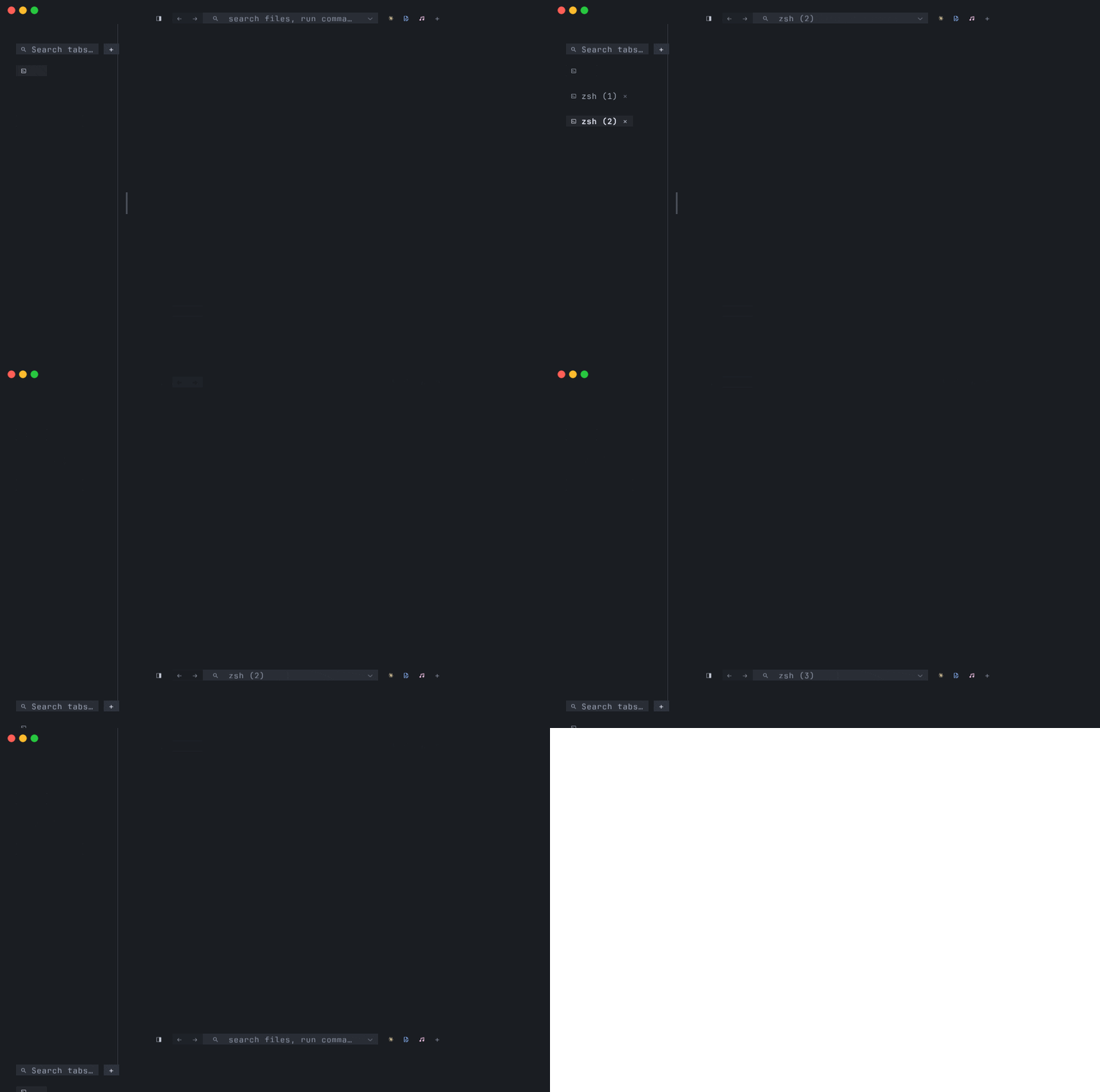
Figure: horizontal layout with the chip strip docked to the bottom — a configuration variant for users who prefer the strip near where shell prompts and status output live.
How to switch
Section titled “How to switch”There are two ways: edit the config file, or use the Settings modal.
In ~/.config/tmnl/config.toml:
tab_layout = "vertical"The two accepted values are "horizontal" (default) and "vertical". Missing
key falls back to the default. Restart isn’t needed if you’re using the
Settings modal — see below — but a hand-edit needs a restart to pick up.
Settings modal
Section titled “Settings modal”Open it with ⌘, (or tmnl > Settings… from the menu bar). Two rows render
in the modal — Inset (px) and Tab layout:
╭─────────────── tmnl Settings ───────────────╮│ ││ Inset (px) 20 ││ ▸ Tab layout [horizontal] / vertical *││ ││ Where tab chips render — horizontal row ││ below the strip, or vertical sidebar. ││ ││ ↑↓ row ←→ adjust r reset ↵ save esc cancel ││ │╰──────────────────────────────────────────────╯The keys:
| Key | Action |
| --- | --- |
| ↑ / ↓ | Move row focus |
| ← / → | Toggle the focused enum (or step the focused number) |
| r / ⌫ | Reset the focused row to its default |
| R | Reset every row to defaults |
| ↵ | Save changes to ~/.config/tmnl/config.toml and close |
| Esc | Discard changes and close |
The [bracket] marks the active choice, the trailing * marks rows that
differ from defaults. Both follow the family-wide settings UI convention
shared with mnml and mixr.
Live preview
Section titled “Live preview”Every keystroke that nudges a value copies the modal’s working config back into the live app config — the next tick re-applies it, the chrome strip re-lays out, the body grid resizes, and you see the change immediately. Tab order changes, scroll bars appear, the sidebar fades in or out, all without committing.
Esc reverts to a snapshot taken when the modal opened, so a preview that
didn’t pan out is one keystroke away from undone. ↵ commits and writes to
the TOML file.
The vertical sidebar, in detail
Section titled “The vertical sidebar, in detail”A few things matter once vertical is on.
Width is auto-computed
Section titled “Width is auto-computed”The sidebar’s pixel width is (widest_chip_cells + 1) * cell_w + SIDEBAR_PAD_LEFT_PX. Concretely: the widest label in the current tab list,
plus its chip padding and close glyph, plus a one-cell trailing gap so the
sidebar reads as distinct from the body content, plus 8 pixels of left-edge
breathing room.
The width is recomputed on every tick from the live chip list. Rename a tab
to something longer and the sidebar widens; close the longest-named tab and
the sidebar tightens. The body grid resize that goes with it is relayout_ all_panes’s job — native clients get a Resize { cols, rows } message
with their new dimensions.
The sidebar collapses to zero width when the focused tab’s focused pane is
Native (mnml / mixr / any blit-host TUI), regardless of tab count. The
TUI ships its own chrome — mnml’s tree rail, mixr’s panels — and the
duplicate tmnl-side sidebar just steals body width. Switching to a Shell
tab brings the sidebar back; switching back to the Native tab hides it
again. Same rule applies to the launcher rail when
launcher_position = "left". See
Tabs, splits, and panes > Sidebar auto-hide on Native focus.
Distinct background
Section titled “Distinct background”The chrome strip pipeline draws two quads in one render pass. Instance 0 is
the top strip ([0, 0] .. [viewport_w, strip_h]); instance 1 is the
sidebar ([0, strip_h] .. [sidebar_w, viewport_h]). Both fill with
palette().strip_bg. In horizontal mode sidebar_w = 0 collapses the
second quad to zero area, so it emits no pixels — the same pipeline serves
both layouts with no draw-call branching.
The sidebar reads as a solid band of strip_bg between chips. The cell
pipeline draws body content with inset_x = inset_px + sidebar_w_px, so
nothing in the grid spills into the sidebar’s zone.
Click + hover
Section titled “Click + hover”Cell-coordinate click + hover detection is gated on a chrome predicate. With
the sidebar active, the predicate widens — in_chrome = in_top_strip || in_left_sidebar. Clicks inside the sidebar reach the chip-strip hit-rect
loop instead of falling through to the body pane underneath; hover drags
respect the sidebar so a drag-to-reorder doesn’t leak into the body.
Chip drag-to-reorder works the same as in horizontal mode: hold a chip, move the cursor over a different chip’s row, the two swap in place. There’s no separate vertical-drop indicator.
Scrolling overflow
Section titled “Scrolling overflow”The sidebar doesn’t grow taller than the window. When the chip-list height
(one row per chip plus one row for the + button) exceeds the visible
sidebar region, wheel-over-the-sidebar scrolls the visible window through
the chip list.
- Wheel up reveals earlier chips (top of the list).
- Wheel down reveals later chips (bottom of the list).
- The scroll value is clamped to
[0, total_rows - visible_rows]so the+button at the bottom of the list is always reachable. - Chips whose row falls outside the visible window aren’t rendered and don’t produce hit rects, so they can’t be clicked from off-screen.
Wheel events over the body pane behave exactly as before — only wheel-in-
sidebar gets routed to scroll_sidebar. Wheel-in-top-strip is still inert
(horizontal-wrap chip-row scrolling is a separate item, not shipped).
+ chip
Section titled “+ chip”The + new-tab button trails the last chip — one row below in vertical
mode, one slot to the right in horizontal. Same behavior either way: a left
click spawns the same flavour of tab the window launched with (see
Tabs, splits, and panes for the full
flavour rules).
When to pick which
Section titled “When to pick which”Pick horizontal — the default — when:
- You usually keep 2–8 tabs open.
- You want maximum horizontal real estate for the editor body.
- Your tab labels are short and the strip never wraps in practice.
Pick vertical when:
- You routinely keep many tabs open and want all of them visible at a glance.
- Your window’s narrow enough that horizontal wrap kicks in and eats two or three chip rows of vertical space.
- You’re working with long tab labels (workspace paths, ticket IDs in Pty-tab auto-naming) that look better stacked than wrapped.
The choice is per-machine, not per-window — the setting lives in
~/.config/tmnl/config.toml and every tmnl window on the machine reads from
the same file at startup. Switching mid-session via the Settings modal
re-lays out immediately; opening a second window afterward picks up the
new value from disk.
Where this comes from
Section titled “Where this comes from”Everything described here is in two commits:
d992b37— the initial vertical layout:compute_sidebar_w_px,chip_layoutbranch, per-axis cell pipelineinset_x, click + hover chrome gates widened to cover the sidebar region.f85471d— the v2 follow-ups: the second strip-pipeline quad for the sidebar background, the Settings modal’s enum-row support plus thetab_layouttoggle, andscroll_sidebarfor wheel-scroll overflow.
The relevant source files:
src/config.rs— theTabLayoutenum + serde.src/main.rs—Gpu.tab_layout,compute_sidebar_w_px,chip_layout,required_strip_h,strip_chip_instances,set_tab_layout,scroll_sidebar.src/strip.wgsl— the two-quad chrome shader.src/settings_ui.rs— the modal, theRowKindenum, the[bracket]choice render.src/app.rs— the chrome gates inhandle_cursor_moved,handle_mouse_input, and the wheel-in-sidebar branch ofhandle_mouse_wheel.
Where to go next
Section titled “Where to go next”- Tabs, splits, and panes — the tab + pane model the layout sits on top of, plus the full chord reference for jumping between tabs and panes.
- Native tabs — what a tab actually contains when its
hosted process is a
tmnl-protocolclient (mnml, mixr, your own). - Getting started — the higher-level walkthrough, if this is your first tmnl page.
- FEATURES.md — the shipped-feature inventory.